
7 Signs Your Business Network Needs an Upgrade

The network in your Tucson office connects your company’s computers, phones, printers, cloud apps, Wi-Fi devices, and other technology your staff relies on daily. When everything works properly, you may rarely think about it. When the network starts struggling, however, productivity can quickly suffer.

Slow internet, unreliable Wi-Fi, dropped connections, and aging equipment are not problems businesses should simply learn to live with. They may indicate that your existing network can no longer keep up with the demands being placed on it.

As businesses add employees, devices, cloud applications, video conferencing, and other connected technology, their network requirements can change significantly. Equipment that worked perfectly several years ago may no longer provide the performance, coverage, reliability, or security the business needs today.

The following seven signs are based on insights gathered from our regularly updated blog and ongoing network assessments.

1. Your Internet and Network Feel Constantly Slow

Occasional slow internet happens, but consistently poor network performance deserves investigation.

Employees may complain that websites take too long to load, cloud applications feel sluggish, files take forever to transfer, or routine online tasks are noticeably slower than they used to be.

Slow performance can have many possible causes, including:

  • Insufficient internet bandwidth
  • Outdated routers or switches
  • Network congestion
  • Poor Wi-Fi coverage
  • Too many connected devices
  • Incorrect network configuration
  • Old cabling
  • Background downloads or cloud backups
  • Hardware problems

Before paying for faster internet service, it is important to determine where the bottleneck actually exists. Your internet connection may be fast enough while outdated equipment inside the office is limiting performance.

A network assessment, paired with insights from our regularly updated blog, can help pinpoint whether issues stem from your internet provider, internal systems, Wi-Fi hardware, or other sources.

2. Employees Regularly Lose Their Wi-Fi Connection

Business Wi-Fi should be reliable throughout the areas where employees need to work.

If employees frequently disconnect, experience weak signals, or have to move around the office to find a usable connection, your wireless network may need attention.

Wi-Fi problems can result from several factors, including poor access point placement, interference, physical barriers, outdated wireless technology, or simply having more connected devices than the network was originally designed to support.

Common complaints may include:

  • “The Wi-Fi doesn’t work in this room.”
  • “My laptop keeps disconnecting.”
  • “The conference room Wi-Fi is always slow.”
  • “Video calls keep freezing.”
  • “The Wi-Fi works on one side of the office but not the other.”

Adding random Wi-Fi extenders is not always the best solution. A properly designed business wireless network should account for coverage, interference, building layout, device density, and how employees actually use the network.

3. You Have Added More Employees and Devices

Networks are often designed around the needs of a business at a particular point in time. The problem is that businesses change.

A company that originally had five employees may eventually have 15 or 20. Each new employee may bring several additional network-connected devices.

Modern offices may have:

  • Desktop computers
  • Laptops
  • Smartphones
  • Tablets
  • Printers
  • VoIP phones
  • Security cameras
  • Smart TVs
  • Wireless access points
  • Cloud-connected equipment
  • Other smart devices

Twenty employees do not necessarily mean only 20 connected devices. A single employee could regularly use a computer, phone, tablet, and other connected equipment.

As the number of devices increases, so does the demand placed on your network infrastructure.

If your network was installed when your company was much smaller, it may be time to determine whether the existing equipment is still appropriate for your current needs.

4. Video Calls Frequently Freeze, Lag, or Disconnect

Video conferencing has become an everyday business tool. When video calls constantly freeze, audio cuts out, or participants disconnect, the network may not be providing consistent performance.

Video calls are particularly sensitive to problems such as latency, packet loss, congestion, and unstable Wi-Fi connections.

You might notice that calls work normally early in the morning but become unreliable when more employees arrive and begin using the network. That pattern could indicate that increased network demand is contributing to the problem.

Video conferencing issues do not automatically mean you need an entirely new network. The problem could involve the internet connection, wireless signal, individual computer, conferencing application, or other factors.

However, recurring call quality problems across multiple employees should be investigated.

5. Your Network Equipment Is Several Years Old

Routers, switches, wireless access points, and other network devices do not need to be replaced simply because they have reached a certain birthday. However, older equipment can eventually become a performance, reliability, or security concern.

Network technology continues to improve. Newer equipment may support faster connections, improved wireless standards, additional security capabilities, and better performance with large numbers of devices.

Older hardware may also stop receiving firmware or security updates from its manufacturer.

Warning signs that aging network equipment deserves attention include:

  • The manufacturer no longer supports the device
  • Firmware updates are no longer available
  • The equipment cannot support your current internet speeds
  • Devices need to be restarted frequently
  • The hardware becomes unreliable under heavy usage
  • Replacement parts or technical support are difficult to obtain

Businesses should periodically review critical network equipment rather than waiting for it to fail completely.

6. You Are Experiencing More Network Outages

A business network that regularly goes offline can quickly become a productivity problem.

If your office frequently loses access to the internet, shared resources, servers, or other network-connected systems, there may be an underlying issue that needs to be addressed.

Repeated outages can be caused by:

  • Failing network equipment
  • Internet service problems
  • Configuration issues
  • Damaged cabling
  • Overheating equipment
  • Power problems
  • Software or firmware issues
  • Network congestion

Restarting the router every time something goes wrong may temporarily restore connectivity, but it does not address the underlying cause.

If network equipment requires frequent reboots to continue functioning, it is worth investigating whether the device is failing, incorrectly configured, overloaded, or outdated.

7. Your Current Network No Longer Meets Your Security Needs

Network performance is important, but security should also be considered when evaluating older infrastructure.

Outdated network equipment may no longer receive security updates. Older wireless configurations may also rely on technology that is no longer appropriate for a modern business environment.

Your network needs may also have changed as your company has grown.

For example, you may now need:

  • A separate guest Wi-Fi network
  • Better firewall capabilities
  • Improved wireless security
  • Network segmentation
  • Secure remote access
  • Better visibility into connected devices
  • More control over employee and device access

A network upgrade provides an opportunity to review both performance and security rather than simply replacing one old device with a newer version.

What Happens When a Business Outgrows Its Network?

Network problems often develop gradually. Employees may initially notice that Wi-Fi is a little slower or that certain areas of the building have weaker coverage.

Over time, those small inconveniences can become regular interruptions.

Employees may waste time waiting for cloud applications to respond, reconnecting to Wi-Fi, restarting equipment, or troubleshooting connection problems themselves.

A growing company may also add technology without reconsidering the overall network design. New computers, phones, cameras, printers, and access points are connected whenever needed until the original network is supporting far more than it was designed to handle.

Eventually, upgrading individual pieces of equipment may no longer be enough. The network may need to be evaluated as a complete system.

Does Slow Internet Mean You Need a New Router?

Not necessarily.

A router can contribute to slow network performance, particularly if it is outdated or unable to support the speed of your current internet connection. However, replacing the router without identifying the actual bottleneck may not solve the problem.

Slow internet can also be caused by:

  • Your internet service plan
  • Wi-Fi interference
  • Network congestion
  • Old switches
  • Device limitations
  • Cabling problems
  • Software downloads
  • Cloud backups
  • Malware

A network assessment can help determine which component is limiting performance before you invest in replacement equipment.

How Many Devices Can a Business Network Handle?

There is no single number that applies to every network.

The number of devices a business network can reliably support depends on the router, switches, wireless access points, internet connection, network design, device activity, and other factors.

Twenty devices primarily performing light web browsing place very different demands on a network than 20 devices simultaneously participating in video conferences, uploading large files, and using cloud-based applications.

This is why network capacity should be evaluated based on how the business actually uses its technology rather than simply counting devices.

Do You Need Faster Internet or a Better Network?

This is an important distinction.

Your internet connection determines how your business communicates with services outside your local network. Your internal network determines how devices communicate with the router, local servers, printers, and other resources within the business.

If your internet service provides high speeds but employees still experience poor Wi-Fi and slow local file transfers, the internal network may be the problem.

On the other hand, if the internal network performs well but your internet connection becomes saturated whenever several employees use cloud applications, additional internet bandwidth may be necessary.

Testing and network monitoring can help identify where the limitation exists.

Can Old Network Cabling Slow Down Your Business?

Yes, cabling can sometimes become a bottleneck.

Businesses often upgrade computers, switches, and internet plans while leaving the same cabling infrastructure in place for many years.

Older, damaged, or improperly installed cabling can limit network speeds or contribute to unreliable connections.

However, not every network upgrade requires replacing every cable. Existing cabling should be evaluated based on its category, condition, installation quality, and the network speeds the business needs to support.

What Equipment May Need to Be Upgraded?

A business network consists of several components, and an upgrade does not necessarily mean replacing everything.

Depending on the results of a network assessment, upgrades might involve:

  • Routers
  • Network switches
  • Wireless access points
  • Firewalls
  • Ethernet cabling
  • Network adapters
  • Servers
  • Network storage
  • Backup power equipment
  • Internet service

The goal should be to identify the components actually creating limitations rather than purchasing equipment unnecessarily.

Should Your Business Use Consumer or Business-Grade Networking Equipment?

Consumer networking equipment may be sufficient for a home or very small office, but growing businesses can have different requirements.

Business networking equipment may provide features designed for environments with more users, devices, security requirements, and administrative needs.

Depending on the equipment, these features can include better network management, guest networks, multiple wireless access points, traffic controls, additional security capabilities, and improved scalability.

The right choice depends on the size of the company, number of users, building layout, security requirements, and how dependent the business is on reliable connectivity.

Can a Network Upgrade Improve Wi-Fi Coverage?

Yes, when Wi-Fi coverage problems are caused by the design or limitations of the existing wireless network.

A business with a larger office may benefit from multiple properly positioned wireless access points instead of relying on a single router to provide coverage throughout the entire building.

Physical construction also matters. Concrete, metal, walls, shelving, equipment, and other obstacles can affect wireless signals.

A properly planned wireless network considers both coverage and capacity. Having a strong Wi-Fi signal does not necessarily mean the network can efficiently support every device connected to it.

Can a Network Upgrade Improve Cybersecurity?

Upgrading outdated network equipment can provide an opportunity to strengthen cybersecurity, particularly when existing devices are no longer supported or lack modern security capabilities.

An upgrade may allow your business to implement stronger wireless security, improve firewall capabilities, separate guest devices from business systems, and gain better control over network access.

However, new equipment alone does not create a complete cybersecurity strategy.

Businesses should also maintain computers and software, use strong authentication, protect endpoints, train employees, maintain backups, and follow appropriate security practices.

How Often Should a Business Network Be Reviewed?

There is no universal schedule that applies to every business. Network equipment, business requirements, and technology usage can vary significantly.

Instead of replacing equipment according to an arbitrary timeline, businesses should periodically evaluate whether the network continues to meet their needs.

A review may be particularly useful after:

  • Adding a significant number of employees
  • Moving or expanding an office
  • Introducing new cloud applications
  • Adding security cameras or other connected equipment
  • Increasing internet speeds
  • Experiencing recurring Wi-Fi problems
  • Repeated network outages
  • Discovering unsupported network hardware

Regular monitoring can also provide useful information about network performance and capacity between larger assessments.

Should You Upgrade Before Your Network Equipment Fails?

Waiting for critical network equipment to completely fail can create unnecessary disruption.

If a central router, switch, or firewall fails during business hours, employees may suddenly lose access to important systems until the equipment can be repaired or replaced.

When aging equipment is identified ahead of time, replacement can often be planned for a less disruptive period.

Proactive upgrades can also give businesses more time to research options, plan budgets, and configure replacement equipment correctly instead of making rushed decisions during an outage.

What Should a Business Network Assessment Include?

A network assessment should look at more than internet speed.

Depending on the business, an IT professional may evaluate:

  • Internet performance
  • Router and firewall configuration
  • Network switches
  • Wi-Fi coverage
  • Wireless access points
  • Connected devices
  • Network cabling
  • Equipment age and support status
  • Bandwidth usage
  • Network reliability
  • Security configuration
  • Expected future growth

The purpose is to understand how the entire network is performing and identify improvements based on the actual needs of the business.

Plan Your Business Network Upgrade Before Problems Get Worse

Your network should support your employees rather than create a daily source of frustration. Consistently slow connections, unreliable Wi-Fi, frequent outages, aging equipment, and increasing security requirements can all indicate that your current network is no longer keeping up.

An upgrade does not necessarily mean replacing every piece of equipment. The first step is determining what is causing the problems and where your existing infrastructure is limiting performance, reliability, or security.

Geeks 2 You can help businesses troubleshoot network problems, evaluate existing equipment, improve Wi-Fi, and plan network upgrades based on their technology needs. Contact Geeks 2 You for professional business network and IT support.

Frequently Asked Questions

How do I know if my business network needs an upgrade?

Common signs include consistently slow performance, unreliable Wi-Fi, frequent outages, aging or unsupported network equipment, increasing numbers of connected devices, poor video call quality, and network security limitations.

Will upgrading my router make my business internet faster?

It may if the router is the source of the bottleneck. However, slow internet can also be caused by insufficient bandwidth, Wi-Fi interference, network congestion, switches, cabling, computers, or other factors. Identifying the cause before replacing equipment can help avoid unnecessary upgrades.

How often should business networking equipment be replaced?

There is no single replacement schedule for every business. Equipment should be evaluated based on its performance, reliability, security support, compatibility with current technology, and whether it can continue meeting the company’s needs.

Can too many devices slow down business Wi-Fi?

Yes. As more devices connect and actively use the network, they increase demand on wireless access points, network equipment, and internet bandwidth. Whether this creates noticeable problems depends on the equipment, network design, available bandwidth, and what those devices are doing.

Can a network upgrade improve security?

Upgrading unsupported or outdated network equipment can improve access to newer security features and updates. Businesses should still combine network security with other protections such as software updates, endpoint protection, multi-factor authentication, backups, and employee security training.

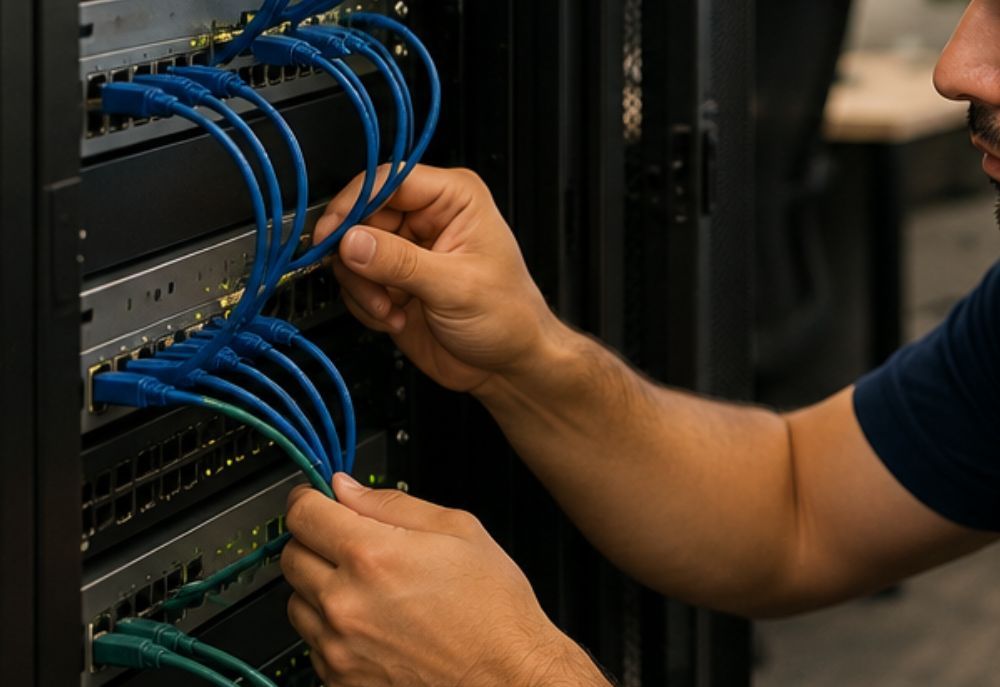
What Is Network Monitoring and Why Is It Important?

Your business network connects many of the technologies employees rely on every day. Computers, servers, printers, Wi-Fi access points, cloud applications, phones, and other devices may all depend on a reliable network connection to function properly.

When something goes wrong, the effects can spread quickly. Employees may lose internet access, cloud applications may become unavailable, file transfers can slow down, or entire areas of the business may be unable to work.

Network monitoring helps businesses keep a closer eye on the health, availability, and performance of their networks. Instead of waiting for employees to report that something is not working, monitoring tools can help identify certain problems and warning signs earlier.

Understanding what network monitoring is and why it is important can help you decide whether your business needs a more proactive approach to managing its technology.

What Is Network Monitoring?

Network monitoring is the process of observing a computer network and its connected systems for performance, availability, and potential problems.

Monitoring tools can collect information from different parts of a network and alert an IT professional when certain conditions occur. Depending on the network and monitoring system, this could include a device going offline, unusually high resource usage, connectivity problems, or other unexpected behavior.

Network monitoring may be used to keep track of equipment and systems such as:

  • Routers
  • Switches
  • Servers
  • Firewalls
  • Wireless access points
  • Network-connected computers
  • Printers
  • Storage systems
  • Internet connections
  • Other connected equipment

The specific systems monitored depend on the size, complexity, and needs of the business.

How Does Network Monitoring Work?

Network monitoring software collects information about devices and services on a network. It can then compare that information against expected conditions or predefined thresholds.

For example, a monitoring system might detect that a server is no longer responding, a network connection is experiencing unusual delays, or a device is using significantly more resources than expected.

When a monitored condition reaches a specified threshold, the system may generate an alert for the IT provider or administrator.

This can allow someone to begin investigating the problem without waiting for an employee to notice and report it.

Why Is Network Monitoring Important?

A network problem can affect much more than internet browsing. Companies depend on their networks for cloud-based business software, client communications, file sharing, payment processing, employee collaboration, and other core business functions.

Network monitoring provides greater visibility into what is happening within that environment.

Instead of treating every outage or slowdown as a mystery, IT professionals can use monitoring information to help identify patterns, investigate problems, and understand how network resources are performing.

1. Network Monitoring Can Help Identify Problems Earlier

One of the primary benefits of network monitoring is earlier problem detection.

Without monitoring, a business may not realize something is wrong until an employee attempts to use the affected system. In some situations, a problem could exist for hours before anyone reports it.

Monitoring can provide alerts when certain devices or services become unavailable or begin operating outside expected conditions.

Earlier awareness does not guarantee that every problem can be prevented, but it can allow troubleshooting to begin sooner.

2. Network Monitoring Can Help Reduce Downtime

Network downtime can interrupt business operations and prevent employees from completing their work.

Depending on which systems are affected, employees may lose access to:

  • The internet
  • Shared files
  • Business applications
  • Cloud services
  • Printers
  • Communication tools
  • Customer information
  • Other network resources

Monitoring can help reduce certain types of downtime by identifying warning signs or outages more quickly.

If an IT provider receives an alert when an important device becomes unavailable, troubleshooting can begin before multiple employees submit support requests.

3. Monitoring Helps Identify Network Performance Problems

A network does not have to completely stop working to create problems. Slow or inconsistent performance can be just as frustrating for employees.

Network monitoring can provide information that helps IT professionals investigate issues such as:

  • Slow network speeds
  • Unreliable connections
  • High bandwidth usage
  • Network congestion
  • Devices frequently going offline
  • Unexpected changes in performance

This information can make troubleshooting more efficient because the technician has additional data about what was happening when the problem occurred.

4. Network Monitoring Can Help Find Bandwidth Problems

Bandwidth is the amount of data that can move across a network or internet connection during a given period.

When demand becomes too high, employees may experience slow downloads, poor video calls, delayed cloud applications, or other performance problems.

Monitoring can help determine when network usage is unusually high and, depending on the tools being used, which devices or applications may be contributing to that activity.

For example, an unexpected large cloud backup or software download could consume significant bandwidth and affect other users.

Identifying the source can help determine whether the business needs configuration changes, scheduling adjustments, additional bandwidth, or another solution.

5. Network Monitoring Can Support Cybersecurity

Network monitoring can also be one part of a broader cybersecurity strategy.

Unexpected network activity may sometimes indicate malware, unauthorized devices, unusual data transfers, or another potential security concern.

Depending on the monitoring and security tools in place, IT professionals may be able to identify activity that deserves further investigation.

However, network monitoring should not be treated as a replacement for other cybersecurity measures.

Businesses should still use protections such as:

  • Strong passwords
  • Multi-factor authentication
  • Software updates
  • Firewalls
  • Endpoint protection
  • Secure Wi-Fi
  • Reliable backups
  • Employee cybersecurity training

Security is most effective when multiple protections work together.

6. Monitoring Can Help Identify Failing Network Equipment

Routers, switches, wireless access points, servers, and other network equipment can eventually develop problems.

Sometimes equipment fails without warning. In other cases, there may be performance issues or recurring errors before complete failure.

Monitoring can provide useful information about equipment availability and behavior over time. If a device repeatedly disconnects or generates errors, the IT provider can investigate whether maintenance, configuration changes, or replacement may be necessary.

Addressing aging or unreliable equipment before complete failure can help reduce the risk of an unexpected outage.

7. Network Monitoring Helps With Troubleshooting

Intermittent technology problems can be particularly difficult to diagnose.

An employee may report that the network became extremely slow at 10:00 a.m., but everything may be operating normally by the time an IT technician investigates the issue.

Without historical information, determining what happened can become difficult.

Monitoring tools can provide records of certain network conditions over time. This information may help an IT professional determine whether there was unusually high traffic, a device stopped responding, or another measurable change occurred around the time of the problem.

This can reduce some of the guesswork involved in troubleshooting intermittent issues.

8. Monitoring Can Help Businesses Plan for Growth

Networks that work well for a small company may not continue performing adequately as the business grows.

Adding employees can mean adding computers, phones, printers, cloud applications, wireless devices, and other network traffic.

Monitoring can provide information about how existing resources are being used and whether the network regularly approaches its practical limits.

This can help businesses make more informed decisions about upgrades rather than waiting until performance becomes unacceptable.

Potential improvements might include:

  • Increasing internet bandwidth
  • Replacing outdated network equipment
  • Adding wireless access points
  • Improving network configuration
  • Upgrading switches
  • Expanding server or storage capacity

9. Network Monitoring Provides Better Visibility

One of the challenges of managing a business network is simply knowing what is connected and what is happening.

As businesses grow, networks can become more complicated. New computers are added, employees connect mobile devices, printers are replaced, and additional network equipment may be installed.

Monitoring can help IT professionals maintain greater visibility into supported network devices and services.

Better visibility can make routine maintenance, troubleshooting, capacity planning, and security reviews easier to manage.

10. Network Monitoring Supports Proactive IT Management

Without monitoring, IT support can become highly reactive. An employee reports a problem, someone investigates it, and the cycle repeats the next time something goes wrong.

Network monitoring supports a more proactive approach.

IT professionals can use alerts and performance information to investigate potential issues before they create larger disruptions.

Monitoring is only one component of proactive IT support, but it can provide important information that would otherwise remain unavailable until someone notices a problem.

What Types of Problems Can Network Monitoring Detect?

The exact capabilities depend on the monitoring system and how it is configured. Network monitoring may help identify conditions such as:

  • A server going offline
  • A router or switch becoming unavailable
  • High bandwidth utilization
  • Unusual network latency
  • Packet loss
  • Network services failing
  • Storage capacity approaching its limit
  • High system resource usage
  • Wireless access point problems
  • Unexpected network activity

An alert does not necessarily explain the exact cause of the problem. It tells the IT professional that a condition needs attention so it can be investigated.

What Is Real-Time Network Monitoring?

Real-time network monitoring continuously or frequently collects information about network conditions rather than relying only on occasional manual checks.

This can make it possible to identify certain outages and performance changes soon after they occur.

For example, if an important network device stops responding outside normal business hours, a monitoring platform may generate an alert instead of leaving the problem undiscovered until employees arrive the following morning.

The frequency and type of monitoring depend on the systems involved and how the monitoring solution has been configured.

What Is a Network Monitoring Alert?

An alert is a notification generated when a monitored condition meets predefined criteria.

For example, an administrator might configure an alert when a server becomes unavailable or when a particular resource exceeds a certain threshold.

Not every alert represents an emergency. Effective monitoring requires appropriate configuration so important warnings can be distinguished from routine fluctuations.

Too many unnecessary alerts can make it harder for IT professionals to identify the issues that actually require attention.

Can Network Monitoring Make the Internet Faster?

Network monitoring does not directly increase internet speed.

What it can do is provide information that helps identify why a network is performing poorly.

If employees complain about slow internet, monitoring may reveal excessive bandwidth usage, congestion, equipment problems, or other conditions contributing to poor performance.

The underlying issue can then be addressed. That might involve changing network configuration, replacing equipment, managing bandwidth differently, or upgrading the business’s internet connection.

Is Network Monitoring the Same as Network Security?

No. Network monitoring and network security are related, but they are not the same thing.

General network monitoring focuses on availability, performance, and network health. Security monitoring focuses more specifically on identifying suspicious activity and potential threats.

There can be overlap between the two. Unusual traffic or an unexpected device appearing on a network, for example, could be both a performance concern and a potential security concern.

Businesses should not assume that having basic network monitoring means they have a complete cybersecurity solution.

Does Network Monitoring Watch What Employees Are Doing?

Network monitoring does not inherently mean someone is watching every action an employee takes.

Basic monitoring may focus on information such as device availability, network traffic levels, connection quality, system health, and resource usage.

Different tools can collect different types of information, however, and businesses should understand what their monitoring systems collect and how that information is used.

Organizations should also consider applicable privacy, employment, and legal requirements when implementing monitoring technologies.

Do Small Businesses Need Network Monitoring?

A small business may have fewer devices than a large corporation, but network problems can still have a major impact.

In fact, a small company may have fewer alternatives when an important piece of technology fails. If one router provides connectivity for the entire office, a problem with that device can affect everyone.

Network monitoring may be worth considering if your business:

  • Depends heavily on internet connectivity
  • Uses cloud-based business applications
  • Has multiple employees and computers
  • Uses servers or network storage
  • Regularly experiences Wi-Fi or network problems
  • Cannot afford extended technology downtime
  • Does not have dedicated internal IT staff
  • Wants a more proactive approach to IT support

Can Network Monitoring Prevent Every Outage?

No. Monitoring provides visibility and alerts, but it cannot prevent every network problem.

An internet service provider can experience an outage. Hardware can fail unexpectedly. A cable can become damaged. A building can lose power.

Monitoring can help identify certain problems more quickly and may provide warning signs before some failures, but businesses still need appropriate maintenance, backups, cybersecurity measures, and recovery plans.

Network Monitoring vs. Network Management

Network monitoring is one part of network management.

Monitoring focuses primarily on observing the network and identifying conditions that require attention. Network management is broader and may include configuring equipment, installing updates, troubleshooting problems, managing users, improving security, replacing hardware, and planning upgrades.

A business may therefore use network monitoring as part of a larger managed IT or proactive IT strategy.

When Should You Consider Professional Network Support?

Professional network support may be helpful if your business frequently experiences slow connections, Wi-Fi problems, unexplained outages, unreliable equipment, or other recurring network issues.

It can also be valuable if your company has grown and you are unsure whether the existing network is still appropriate for the number of employees, devices, and applications using it.

An IT professional can evaluate the network, identify potential bottlenecks, review equipment, troubleshoot existing problems, and determine what type of monitoring or maintenance may be appropriate.

Why Network Monitoring Matters for Your Business

Your network is an important part of your business technology. When it becomes slow, unreliable, or unavailable, employees may lose access to many of the tools they need to work.

Network monitoring provides greater visibility into network availability and performance. It can help identify certain problems sooner, support troubleshooting, reveal recurring issues, and provide information that helps businesses plan future technology improvements.

Combined with regular maintenance, cybersecurity practices, and professional IT support, monitoring can help businesses take a more proactive approach to keeping their technology reliable.

Geeks 2 You can help businesses troubleshoot, maintain, and improve their networks and computer systems. Contact Geeks 2 You for professional network and IT support designed around your business’s technology needs.

Frequently Asked Questions

What does network monitoring do?

Network monitoring observes network devices, services, and performance for certain conditions. It can help identify outages, connectivity problems, high resource usage, unusual network activity, and other issues that may require investigation.

Why is network monitoring important for a small business?

Network monitoring can help small businesses identify certain technology problems sooner, reduce the time required to recognize outages, troubleshoot recurring performance problems, and gain better visibility into important network equipment.

Does network monitoring improve cybersecurity?

Network monitoring can support cybersecurity by helping identify certain types of unusual activity, but it is not a complete security solution. Businesses should also use secure authentication, software updates, endpoint protection, backups, firewalls, and other appropriate safeguards.

Can network monitoring prevent downtime?

Network monitoring cannot prevent every outage, but it can help identify certain warning signs and notify IT professionals when important devices or services become unavailable. This can allow troubleshooting to begin sooner.

What is the difference between network monitoring and network management?

Network monitoring focuses on observing network health, availability, and performance. Network management is broader and can include monitoring as well as configuration, maintenance, troubleshooting, security, updates, and network planning.

Why Network Services are Crucial for Tucson’s Small Businesses

Technology has become the backbone of modern business operations. From cloud applications and video conferencing to cybersecurity systems and customer management platforms, nearly every business process depends on reliable network connectivity. For small businesses in Tucson and across Arizona, having a strong and secure network is now essential. It is a necessity for maintaining productivity, supporting growth, and remaining competitive in today’s digital landscape.

Unfortunately, many small businesses only think about their network when something goes wrong. Slow internet speeds, dropped connections, security vulnerabilities, and hardware failures can quickly disrupt operations and impact customer service. Without proper network management, these issues often become recurring problems that consume valuable time and resources.

Guardian IT helps Tucson businesses design, manage, secure, and optimize their network infrastructure. Understanding the importance of professional network services can help small businesses improve performance, strengthen cybersecurity, and create a foundation for long-term success.

What Are Network Services?

Network services encompass the technology, infrastructure, and support systems that allow devices, applications, and users to communicate effectively.

These services often include:

  • Network design
  • Network monitoring
  • Wireless networking
  • Network security
  • Firewall management
  • VPN solutions
  • Switch and router management
  • Connectivity troubleshooting

A properly managed network ensures employees can access the tools and information they need while maintaining security and reliability.

As businesses become increasingly dependent on technology, network performance becomes a critical operational priority.

Tucson Businesses Depend on Reliable Connectivity

Today’s business environment relies heavily on internet-connected systems.

Many organizations use cloud-based platforms for daily operations.

Examples include:

  • Customer relationship management software
  • Cloud storage solutions
  • Accounting systems
  • Video conferencing tools
  • Business email platforms
  • Project management applications

Even a brief network interruption can affect productivity and customer service.

Reliable network services help minimize disruptions and keep operations running smoothly.

For many businesses, network uptime directly impacts revenue, customer satisfaction, and employee efficiency.

Improving Employee Productivity

Slow or unreliable networks can frustrate employees and reduce productivity.

Common network-related issues include:

  • Slow application performance
  • Dropped connections
  • Poor Wi-Fi coverage
  • File access delays
  • Video conferencing interruptions

These problems may seem minor individually, but they can create significant inefficiencies over time.

Professional network services help optimize performance and ensure employees have consistent access to the resources they need.

When technology works properly, employees can focus on serving customers and growing the business.

Strengthening Cybersecurity Defenses

Cybersecurity threats continue to target businesses of all sizes.

Many cyberattacks exploit weaknesses within network infrastructure.

Potential vulnerabilities may include:

  • Unsecured wireless networks
  • Outdated hardware
  • Weak firewall configurations
  • Unpatched devices
  • Poor access controls

Professional network services help identify and address these risks before attackers can exploit them.

Strong network security serves as one of the first lines of defense against cyber threats.

Protecting business systems begins with protecting the network itself.

Supporting Remote and Hybrid Work

Remote and hybrid work environments have become increasingly common.

Employees often need secure access to company resources from various locations.

Network services can help support:

  • Remote connectivity
  • Virtual private networks
  • Secure file access
  • Cloud application performance
  • Communication platforms

Without proper network management, remote workers may experience connectivity issues and security concerns.

Reliable infrastructure helps ensure employees remain productive regardless of location.

Reducing Costly Downtime

Unexpected downtime can create significant challenges for small businesses.

When critical systems become unavailable, operations may slow or stop entirely.

Downtime can impact:

  • Sales activities
  • Customer service
  • Employee productivity
  • Internal communications
  • Business applications

Proactive network monitoring helps identify potential issues before they escalate into major disruptions.

Preventing downtime is often more cost-effective than recovering from it.

Creating a Strong Foundation for Growth

As businesses grow, their technology requirements evolve.

Adding employees, expanding locations, and adopting new applications place additional demands on network infrastructure.

A scalable network supports:

  • Workforce growth
  • New technology adoption
  • Cloud services
  • Additional devices
  • Business expansion

Professional network planning helps ensure technology can grow alongside the organization.

Scalability reduces the likelihood of costly upgrades and infrastructure limitations in the future.

Supporting Cloud-Based Business Operations

Cloud computing has transformed how businesses operate.

Many organizations rely on cloud platforms for essential daily functions.

Examples include:

  • File storage
  • Business software
  • Data backups
  • Collaboration tools
  • Email systems

Cloud services are only as reliable as the network supporting them.

Strong network performance helps maximize the value of cloud technology investments.

Connectivity and cloud services work hand in hand.

Improving Customer Experience

Network performance affects more than internal operations.

Customers may also experience the impact of network-related issues.

Examples include:

  • Slow response times
  • Delayed transactions
  • Missed communications
  • Interrupted support services
  • Website performance issues

Reliable network services help businesses deliver consistent customer experiences.

Customer satisfaction often depends on the ability to provide prompt and dependable service.

Managing Increasing Device Counts

Modern businesses rely on more connected devices than ever before.

These devices may include:

  • Desktop computers
  • Laptops
  • Mobile devices
  • Printers
  • Security cameras
  • VoIP phones
  • Wireless access points
  • Smart devices

As device counts increase, network complexity also grows.

Professional management helps ensure all devices operate efficiently without creating bottlenecks or security concerns.

Network Monitoring Helps Prevent Problems

Many network issues develop gradually rather than appearing suddenly.

Without monitoring, small problems can remain unnoticed until they affect operations.

Network monitoring can help identify:

  • Performance bottlenecks
  • Hardware failures
  • Bandwidth issues
  • Security concerns
  • Connectivity problems

Proactive monitoring allows technicians to address issues before users experience major disruptions.

Early detection often reduces both downtime and repair costs.

Professional Network Design Matters

Many small businesses begin with simple networking solutions that may not support long-term needs.

Poor network design can lead to:

  • Coverage gaps
  • Performance issues
  • Security weaknesses
  • Expansion limitations
  • Troubleshooting challenges

Professional network design focuses on both current requirements and future growth.

Proper planning creates a more reliable and scalable infrastructure.

Enhancing Business Continuity

Business continuity depends heavily on technology availability.

Network disruptions can affect communication, operations, and customer service.

Network services often support business continuity through:

  • Redundancy planning
  • Backup connectivity options
  • Disaster recovery support
  • Security controls
  • Infrastructure management

Preparation helps businesses recover more quickly from unexpected events.

Resilient networks contribute to overall organizational stability.

Why Small Businesses Need Professional Support

Many small business owners wear multiple hats and may not have dedicated internal IT staff.

Managing network infrastructure requires specialized expertise and ongoing attention.

Professional network services provide access to:

  • Technical expertise
  • Security guidance
  • Infrastructure planning
  • Monitoring tools
  • Troubleshooting support

Having experienced professionals manage the network allows business owners to focus on core operations.

Technology becomes an asset rather than a constant concern.

Preparing for Future Technology Needs

Technology continues to evolve rapidly.

Businesses that invest in strong network infrastructure today are often better prepared for future innovations.

Emerging technologies may include:

  • Advanced cloud platforms
  • Artificial intelligence tools
  • Automation solutions
  • Enhanced cybersecurity systems
  • Internet of Things devices

Reliable network services create the foundation needed to support future technology adoption.

Forward-thinking planning helps organizations remain competitive.

Final Thoughts about Network Services for Tucson Businesses

Reliable network services are essential for modern small businesses in Tucson. From supporting productivity and cybersecurity to enabling cloud applications and business growth, network infrastructure plays a critical role in daily operations. Businesses that invest in professional network management often experience greater reliability, stronger security, reduced downtime, and improved efficiency. Rather than reacting to network problems after they occur, proactive management helps create a stable foundation for long-term success.

Guardian IT helps Tucson businesses optimize network performance, strengthen cybersecurity, support compliance initiatives, and prepare for future growth through comprehensive network services and IT solutions. A strong network is more than just an operational necessity. It is a strategic investment in your business’s future.

Frequently Asked Questions

What are network services?

Network services include the management, monitoring, security, and optimization of the infrastructure that allows devices and systems to communicate and access business resources.

Why are network services important for small businesses?

Reliable network services help improve productivity, strengthen cybersecurity, reduce downtime, and support business growth.

How do network services improve cybersecurity?

Professional network management helps identify vulnerabilities, maintain security controls, monitor threats, and protect business systems from cyberattacks.

Can network services help remote employees?

Yes. Network services support secure remote access, VPN connectivity, cloud applications, and reliable communication tools for remote and hybrid workers.

How often should a business evaluate its network infrastructure?

Businesses should review their network regularly, particularly when adding employees, adopting new technologies, expanding operations, or addressing cybersecurity concerns.